Display each size as its own product card on Shopify collection pages — without changing your catalog structure or editing theme code.
.webp)
In Shopify, products are usually structured with variants grouped under a single product. For example, a product might have several size options such as Small, Medium, and Large.
While this structure is efficient for catalog management, most Shopify themes only display one product card per product on collection pages.
This means customers cannot immediately see the available sizes when browsing a collection.
They must open the product page first, which adds friction to the shopping experience.
A Shopify app like Variantify lets merchants display each size as its own product card without changing the catalog structure.
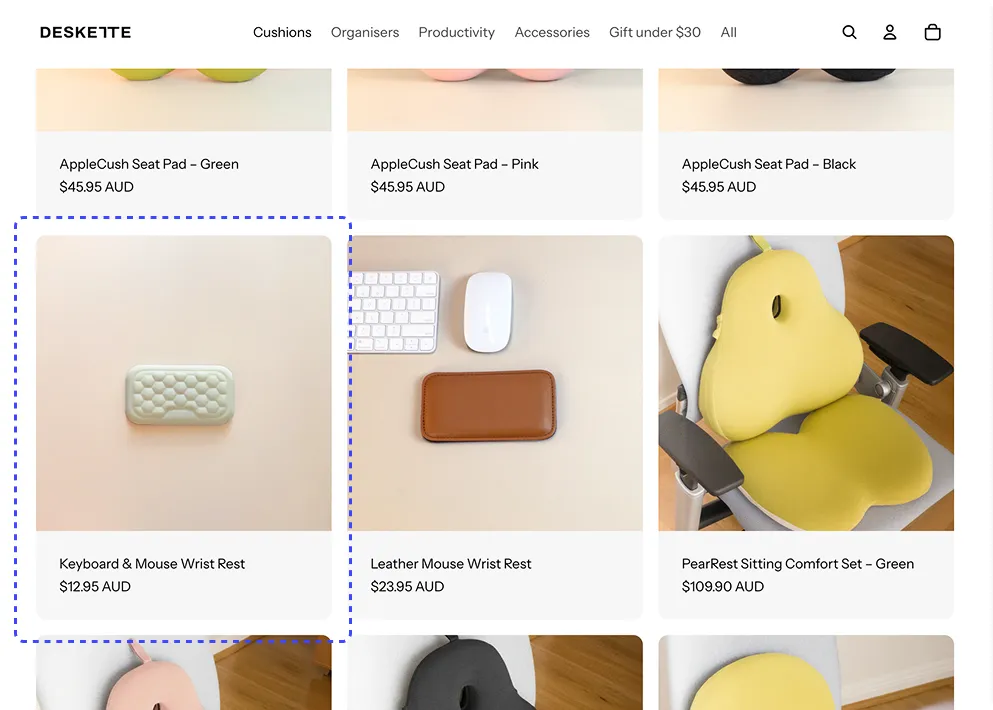
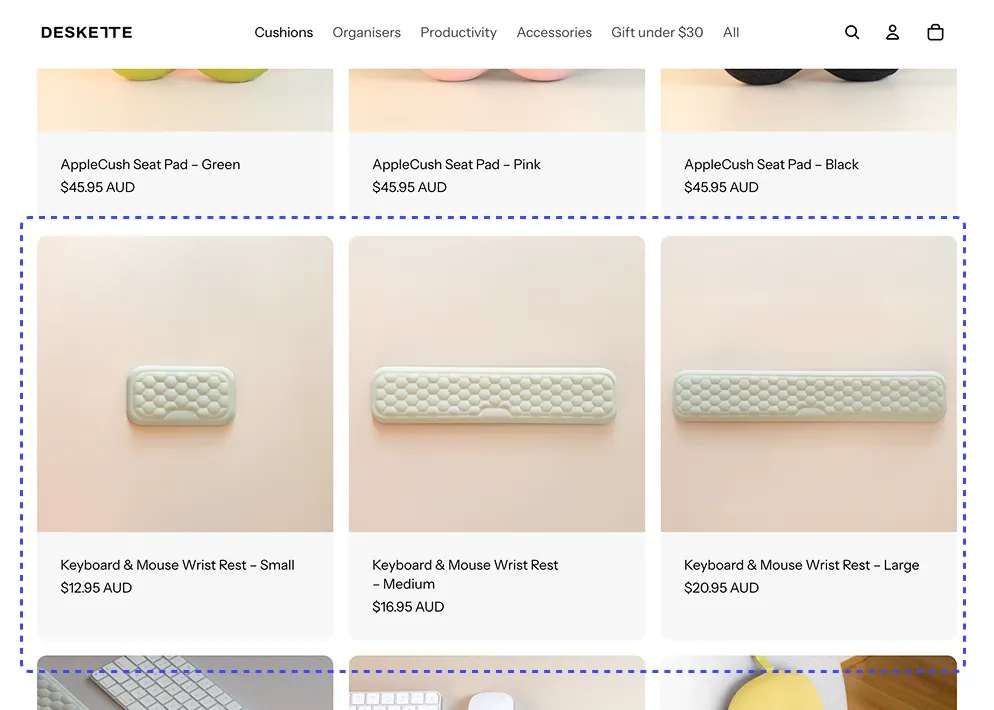
Showing size variants separately is especially useful when different sizes visually represent different products.
In some industries, the size of the item changes its appearance, dimensions, or use case.
Small, medium and large plants often look visually different. Displaying them separately improves browsing.
Furniture sizes change proportions and layout usage. Separate listings help customers compare.
Items like vases, lamps or frames may vary significantly depending on size.
Instead of duplicating products or modifying your theme code, you can use a Shopify app designed to display variants as separate items.
Install the app from the Shopify App Store and activate the app in your theme settings.
Select the collection where you want size variants to appear separately.
Variantify automatically displays each size as its own product card.
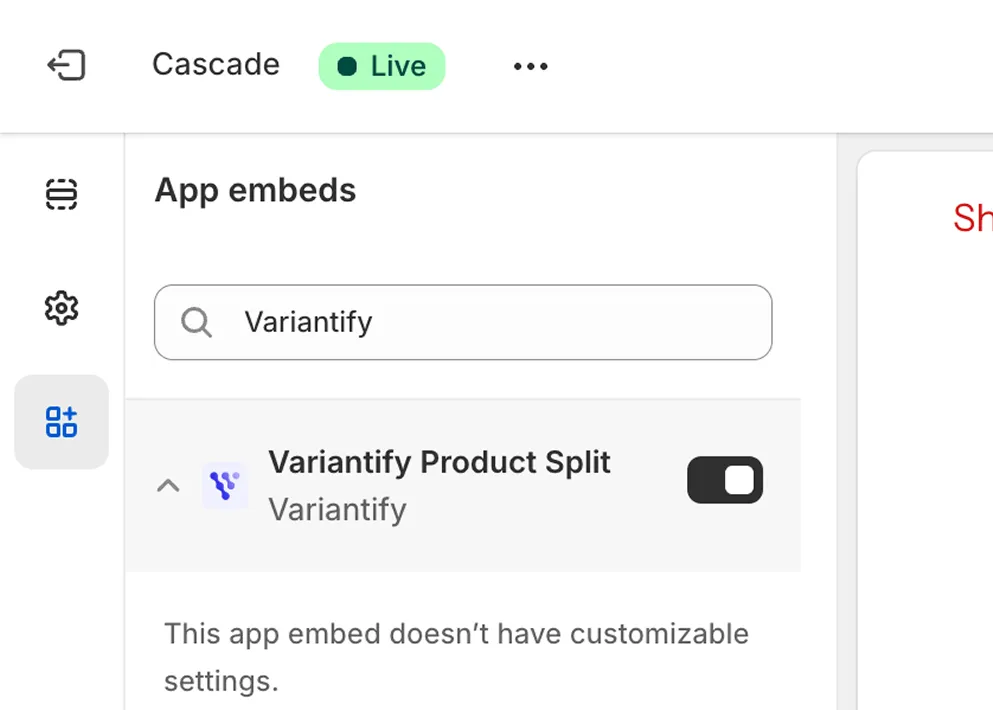
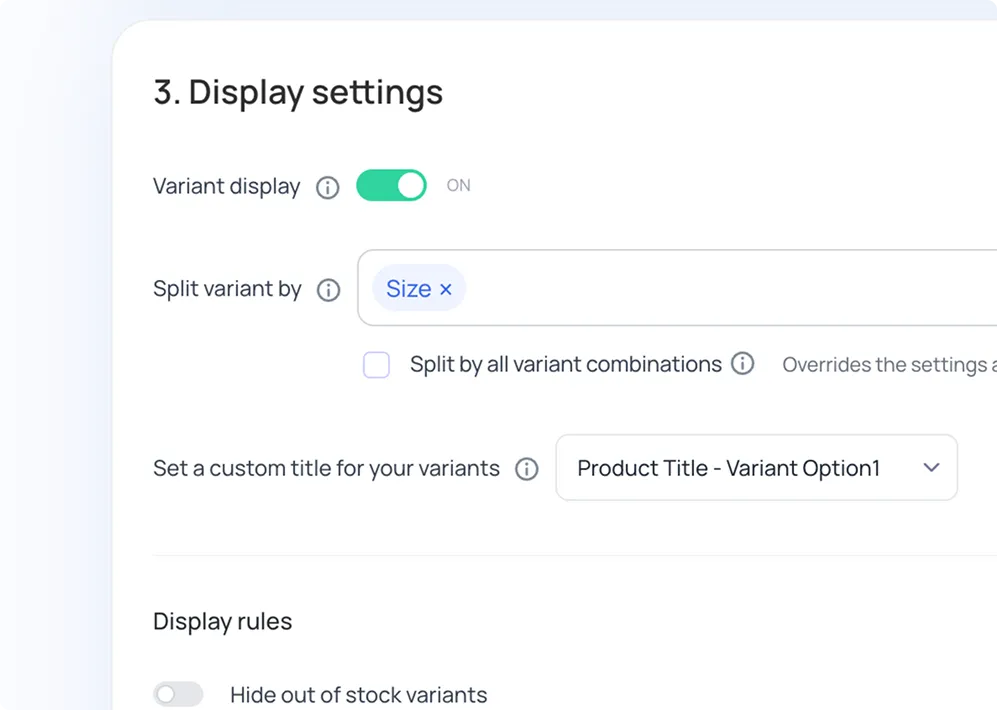
With Variantify, each size variant can appear as its own product card on collection pages.
For example, a helmet available in sizes S, M, and L can be displayed as three separate listings while keeping a single product in your Shopify catalog.
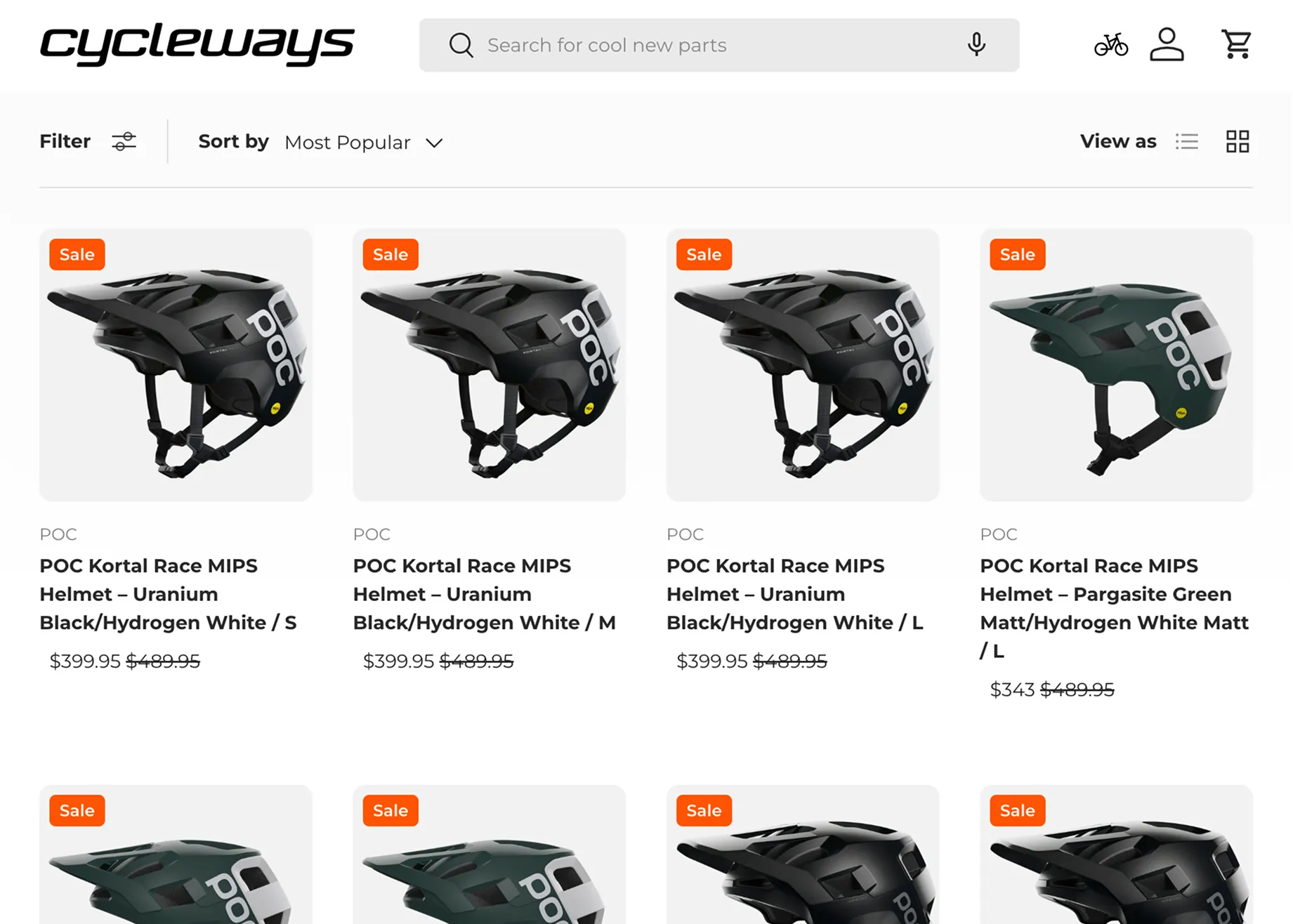
Displaying size variants as individual product cards can improve product discovery and simplify the shopping experience.
Customers can immediately see available sizes directly from the collection page without opening the product page.
Displaying sizes separately reduces friction and allows shoppers to quickly find the size they need.
Showing variants individually increases product visibility and can lead to higher engagement and conversions.
Variantify keeps your original Shopify product structure while changing only how products appear in collections.
Common questions about displaying Shopify size variants as separate products on collection pages.
Install Variantify and display size variants as separate products in minutes.
Install on Shopify
