Define a dedicated hover image for each product variant in Shopify collection grids. Keep visuals consistent when displaying variants individually — without editing your theme.
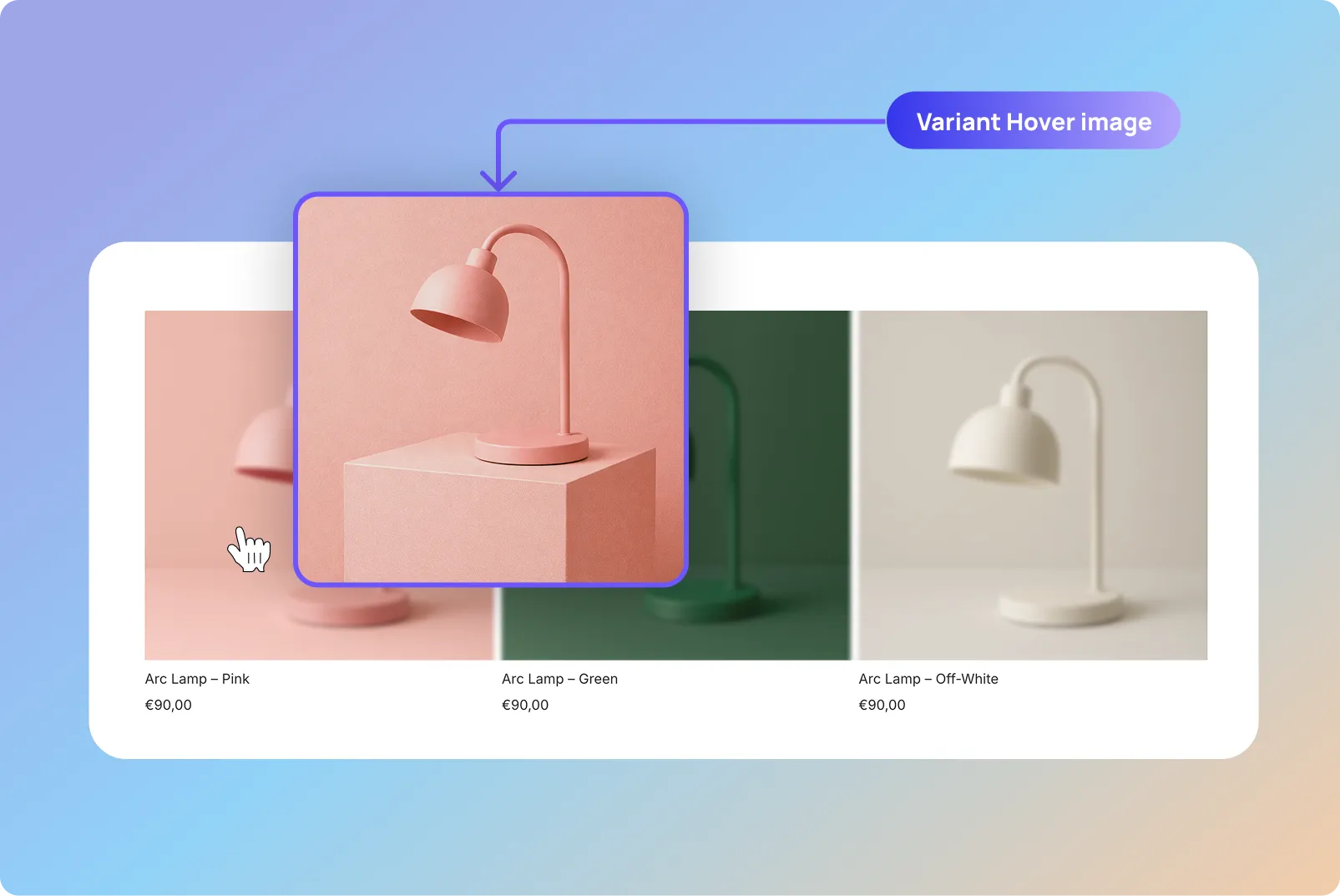
Many Shopify themes support hover images on collection pages.
However, hover images usually work at the product level. When variants are displayed individually, every variant may still share the same hover image.
This can create visual confusion in collection grids, especially when browsing products with multiple colors or styles.
Variantify allows merchants to define a dedicated hover image for each variant, ensuring that every product card behaves consistently when customers hover over it.
Variant hover images are particularly useful for stores where visual differences between variants matter.
When customers browse collection pages, hover images help them quickly preview product details and better understand each option.
Clothing collections often include many color variations.
Dedicated hover images help customers preview fabric details and styles.
Sneakers often differ by colorways and materials.
Variant hover images make browsing clearer and more engaging.
Accessories like bags or watches may have subtle visual differences.
Hover images highlight these variations instantly.
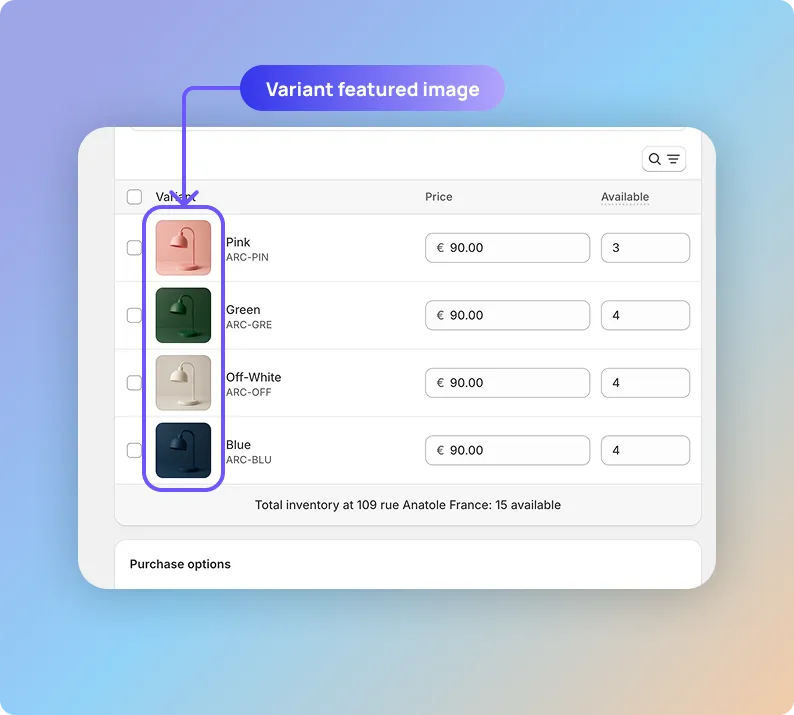
Variantify follows a simple and predictable rule: the hover image for a variant is the image placed immediately after the variant’s featured image.
Because Shopify allows drag-and-drop image ordering, the setup is quick and works with your theme’s native hover behavior.
The variant image will be used as the main image in the collection grid.
In the product media gallery, drag the hover image and drop it immediately after the variant image.
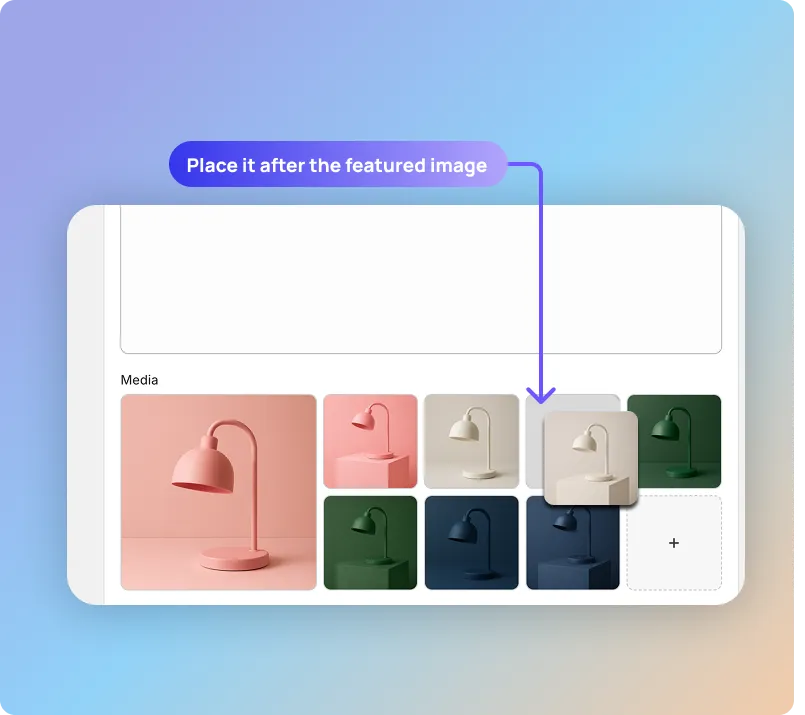
This short video shows how to assign a dedicated hover image for each variant displayed on Shopify collection pages using Variantify.
Customers can preview product details directly from the collection grid.
Each variant keeps its own visual identity when hovered.
Shoppers can quickly compare variants without opening product pages.
Variantify works with your theme’s native hover behavior without code.
Install Variantify to define a dedicated hover image for each variant displayed on your Shopify collection pages.
Install on Shopify
