
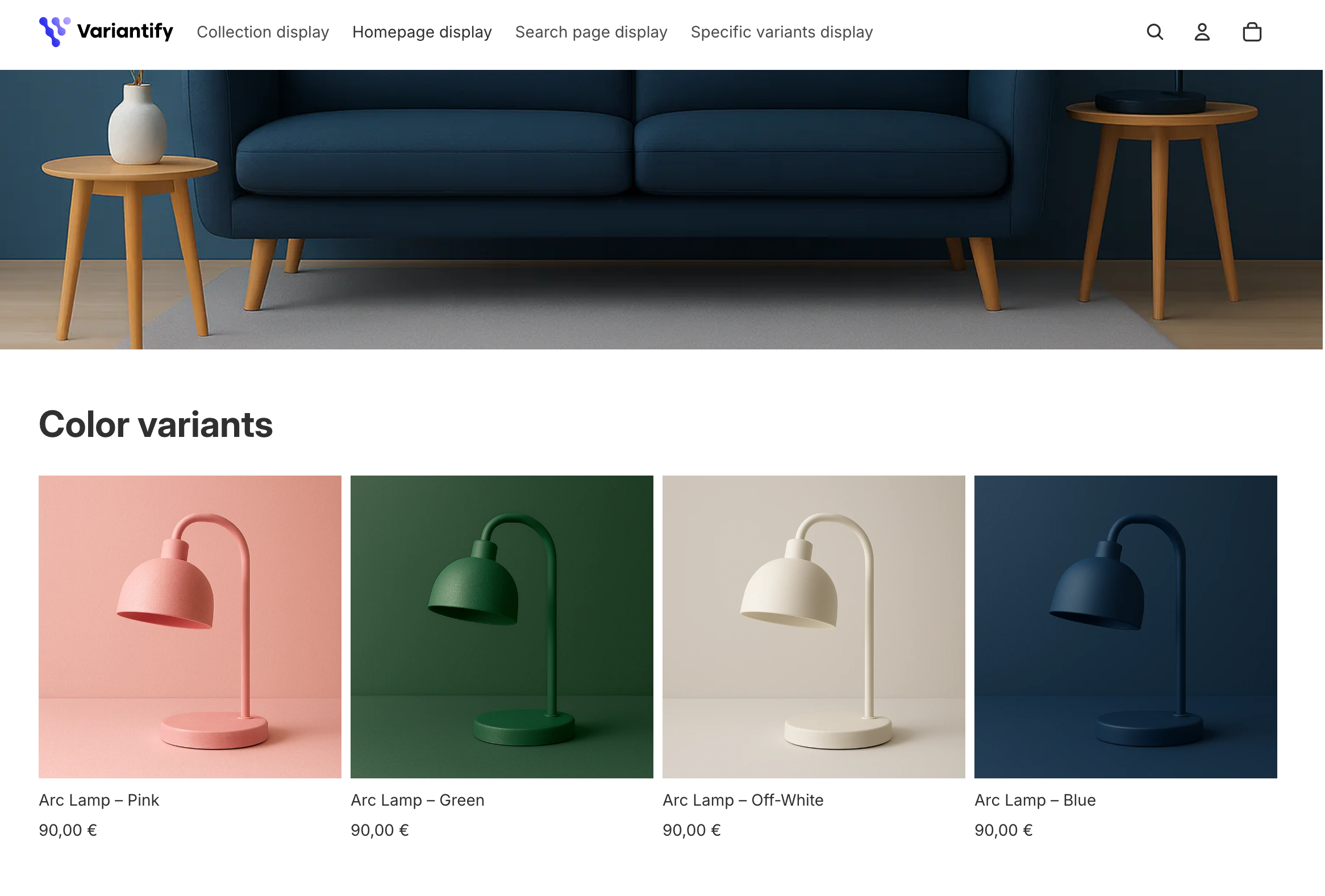
Today, we’re excited to announce a major update:
👉 You can now display variants as individual products on your Shopify homepage and search results pages.
This update gives your customers a smoother browsing experience, better product visibility, and a much more intuitive storefront — without changing your back-office product structure.
Why showing variants on homepage & search results matters
Shoppers often rely on the homepage and search bar to start their journey.
By displaying each variant as its own product right from these key entry points, you can:
- Increase product discoverability
- Improve click-through rates
- Give better visibility to colors, sizes, and unique styles
- Boost engagement on high-intent pages
- Create a cleaner, more curated buying experience
This new feature brings the Variantify experience beyond collection pages — into the most strategic sections of your Shopify store.
What’s new in Variantify?
1. Show variants as separate products on the homepage
You can now display variants inside any Featured Collection (Grid) section created in the Shopify Theme Editor.
Variantify automatically transforms each variant (e.g., color, size, material…) into its own product card.
No code, no theme editing — just select the collections you want from your settings.
👉 Perfect to showcase colorways, seasonal editions, or style variations.
2. Show variants as separate products in search results
Variantify also enhances the native Shopify search page.
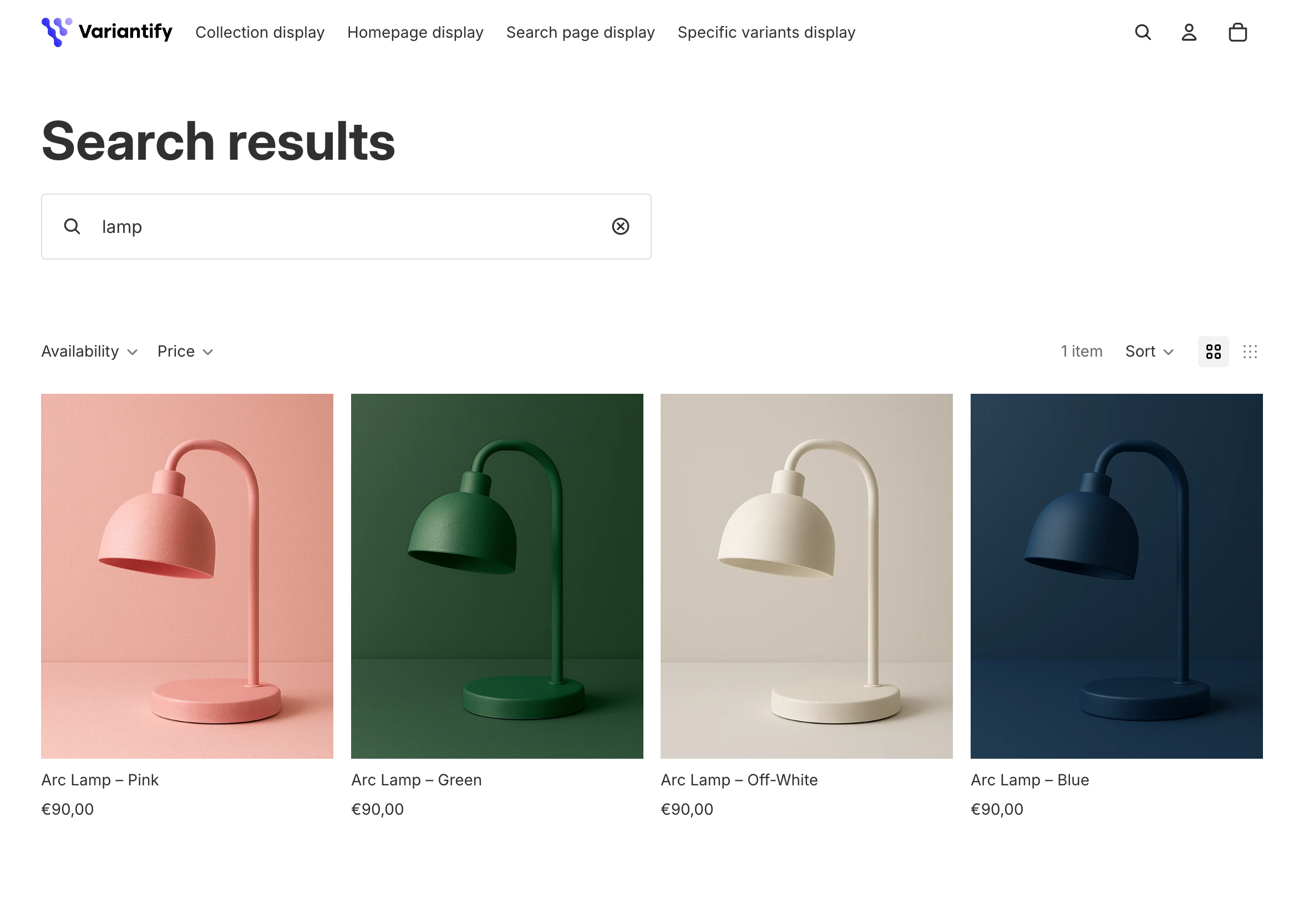
When a user searches for an item, they will now see each variant as an individual product, instead of grouped under a single parent product.
This improvement creates a more intuitive discovery flow and increases opportunities for shoppers to find what they’re looking for.
3. Full control over how variants are displayed
Just like on collection pages, you can:
- Split variants by any option (color, size, material, style…)
- Set a variant title format
- Create variant-specific collections
Variantify gives you full flexibility — without touching your product structure in Shopify.
How to enable homepage & search variants
Here’s how to enable both features step-by-step.
Show variants on the Search Results page
To display variants independently on Shopify’s search results page:
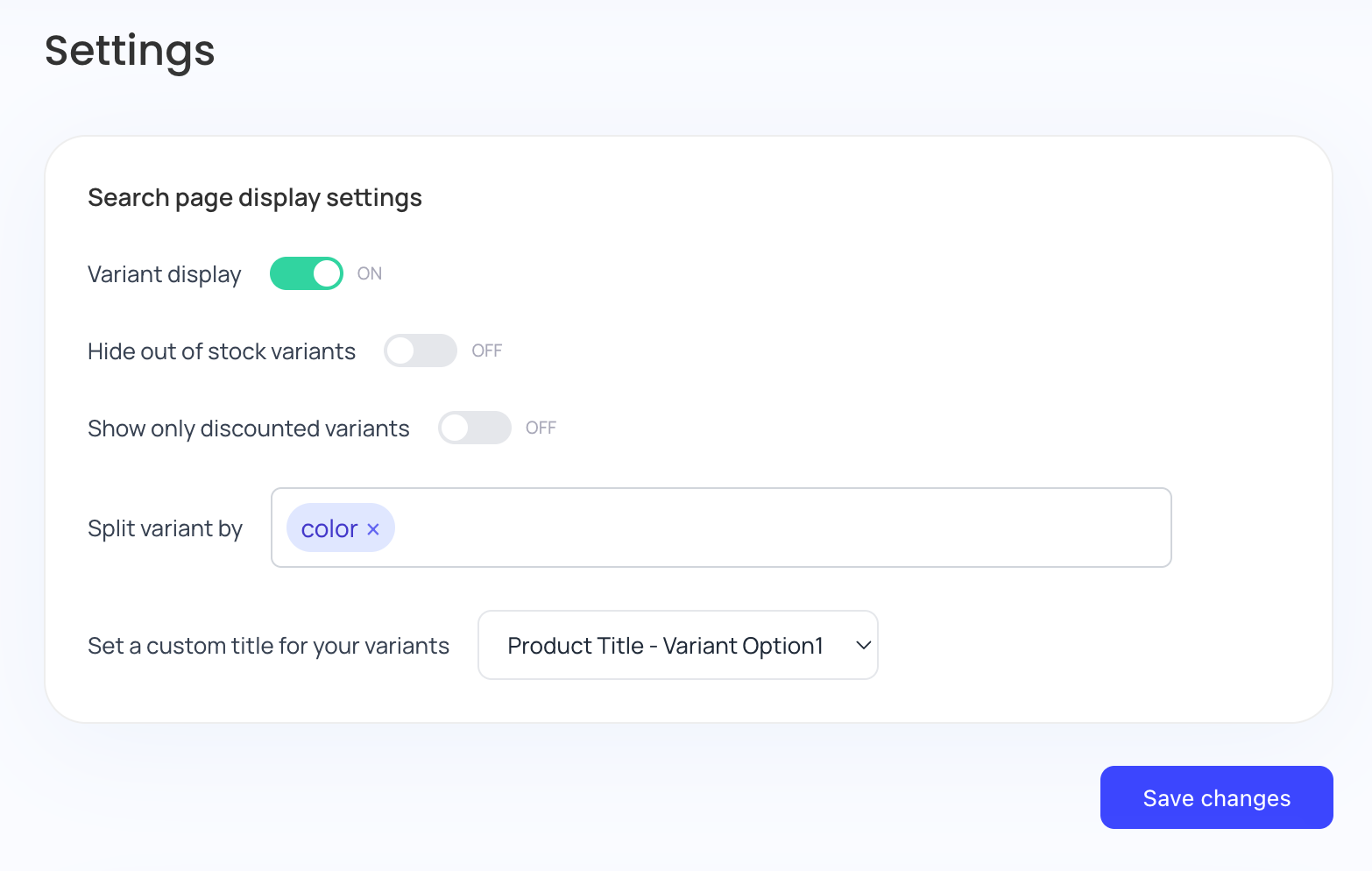
1. Go to Variantify → Settings
2. Find the section “Search page display settings”
3. Enable “Variant display”. Toggle the switch to ON to activate variant splitting on search results.
4. Choose one or multiple options to split your products
5. Select a title format
6. Click “Save changes”
Show variants on your Homepage
Displaying variants as separate products on the homepage requires one additional step inside your Shopify theme.
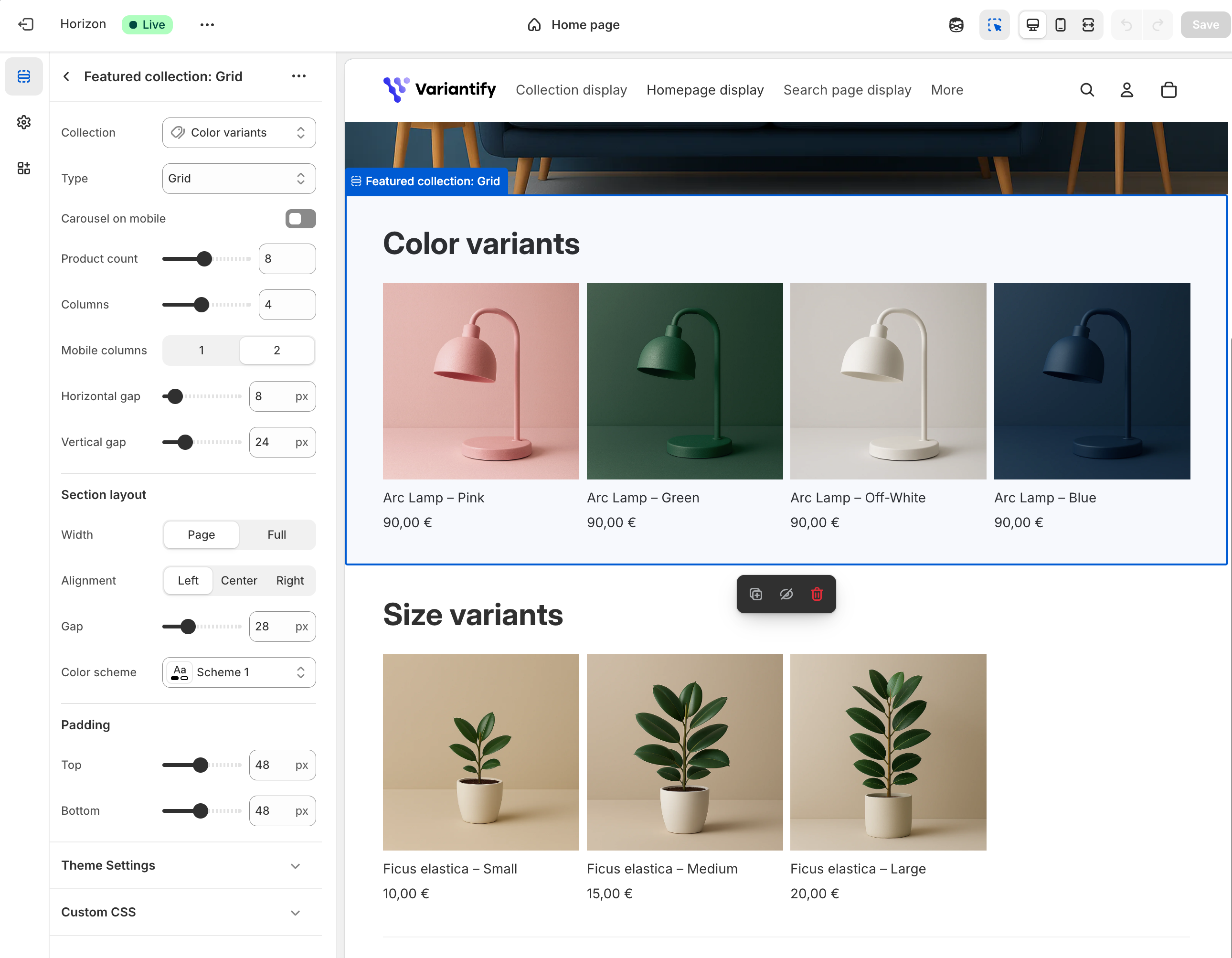
Variantify displays variants on the homepage only in sections of type “Featured Collection (Grid)”.
If you haven’t created one yet:
- Go to Online Store → Themes → Customize
- Click Add section
- Select Featured collection
- Make sure the type is Grid
- Choose the collections you want to showcase
You can create multiple sections if needed.
Now configure Variantify:
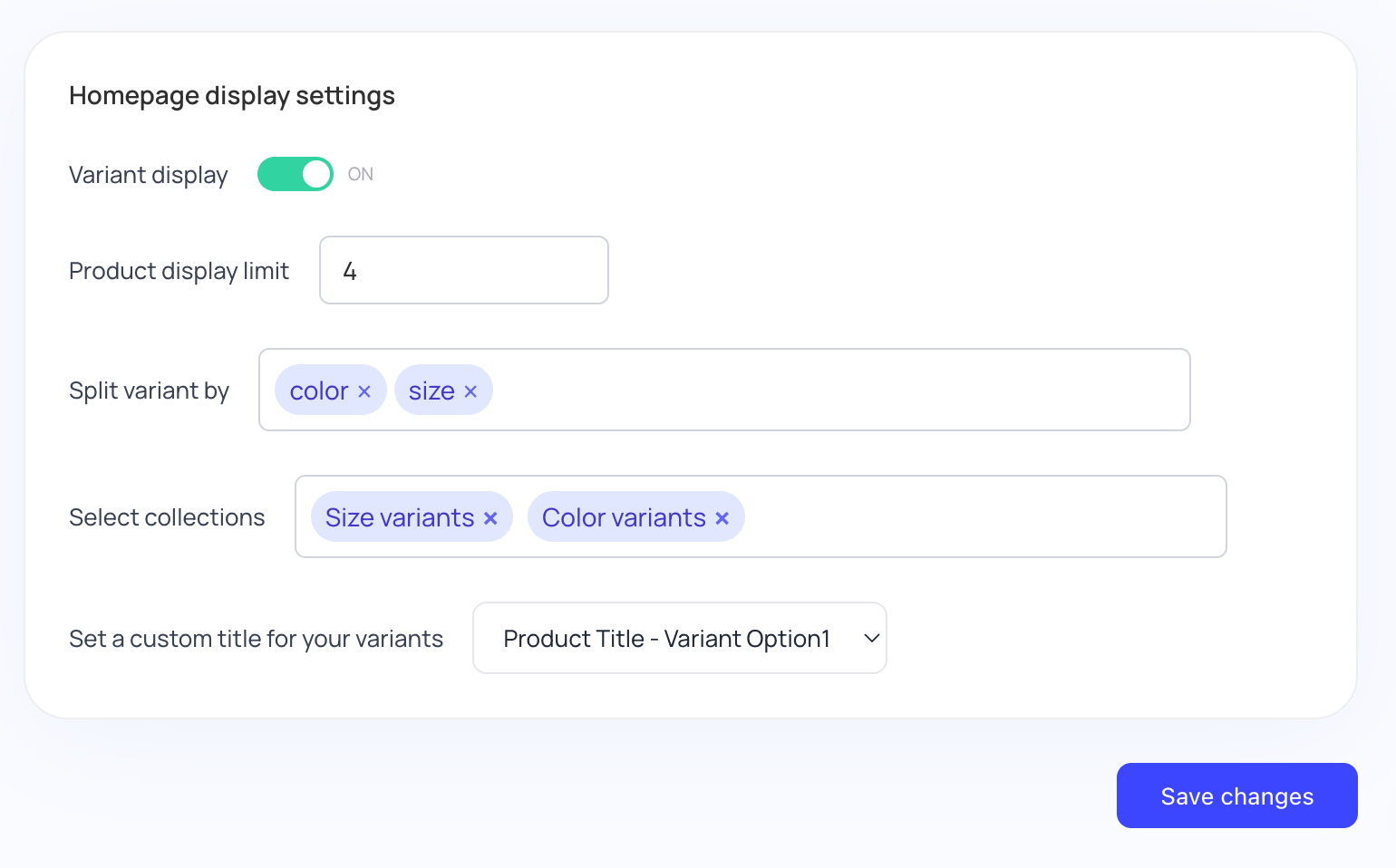
1. Go to Variantify → Settings
2. Find the section “Homepage display settings”
3. Enable “Variant display”. Toggle the switch to ON.
4. Set a product display limit. Choose how many variant products should be displayed inside each Featured Collection (Grid) section.
5. Choose one or multiple options to split your products
6. Select the collections you want to apply the variant splitting to
⚠️ Important:
You must select collections that are already used by your Featured Collection (Grid) sections in your theme editor.
Otherwise, nothing will appear on the homepage.
7. Choose a variant title format
8. Click “Save changes”
Your homepage sections will now display variants as separate product cards.
Real example: Color variants and size variants
Here’s how merchants typically use this feature:
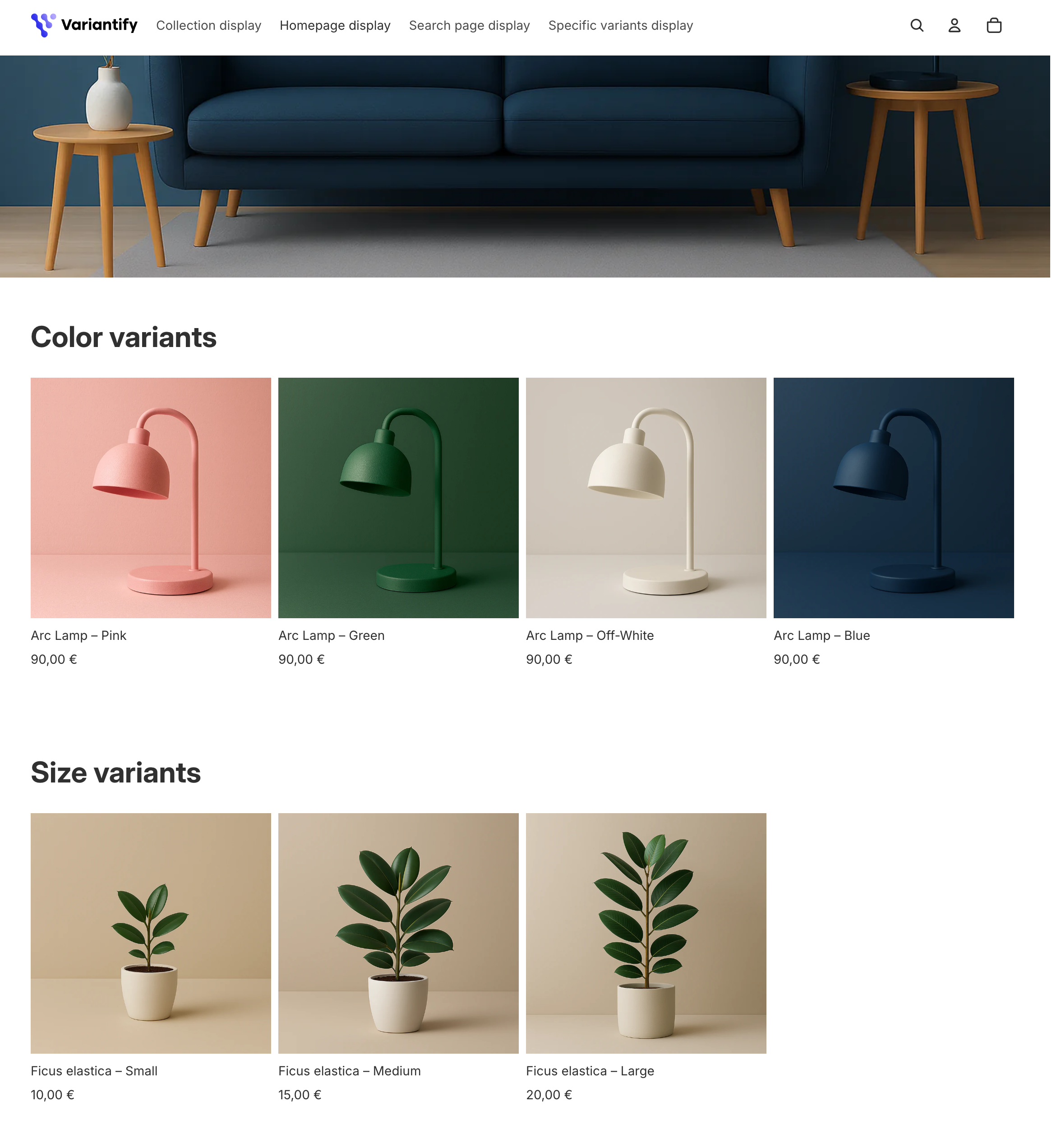
Color variants
Showcase each color of a lamp, chair, sneaker, hoodie…
👉 Perfect use case to increase browsing engagement.
Size variants
Each size of a product (S, M, L) appears as a standalone product card.
Try Variantify with the new features
If you want to give your Shopify storefront a cleaner and more powerful browsing experience, try Variantify today.
👉 Install Variantify on the Shopify App Store
Or highlight it with a second CTA: